
Screen anatomy
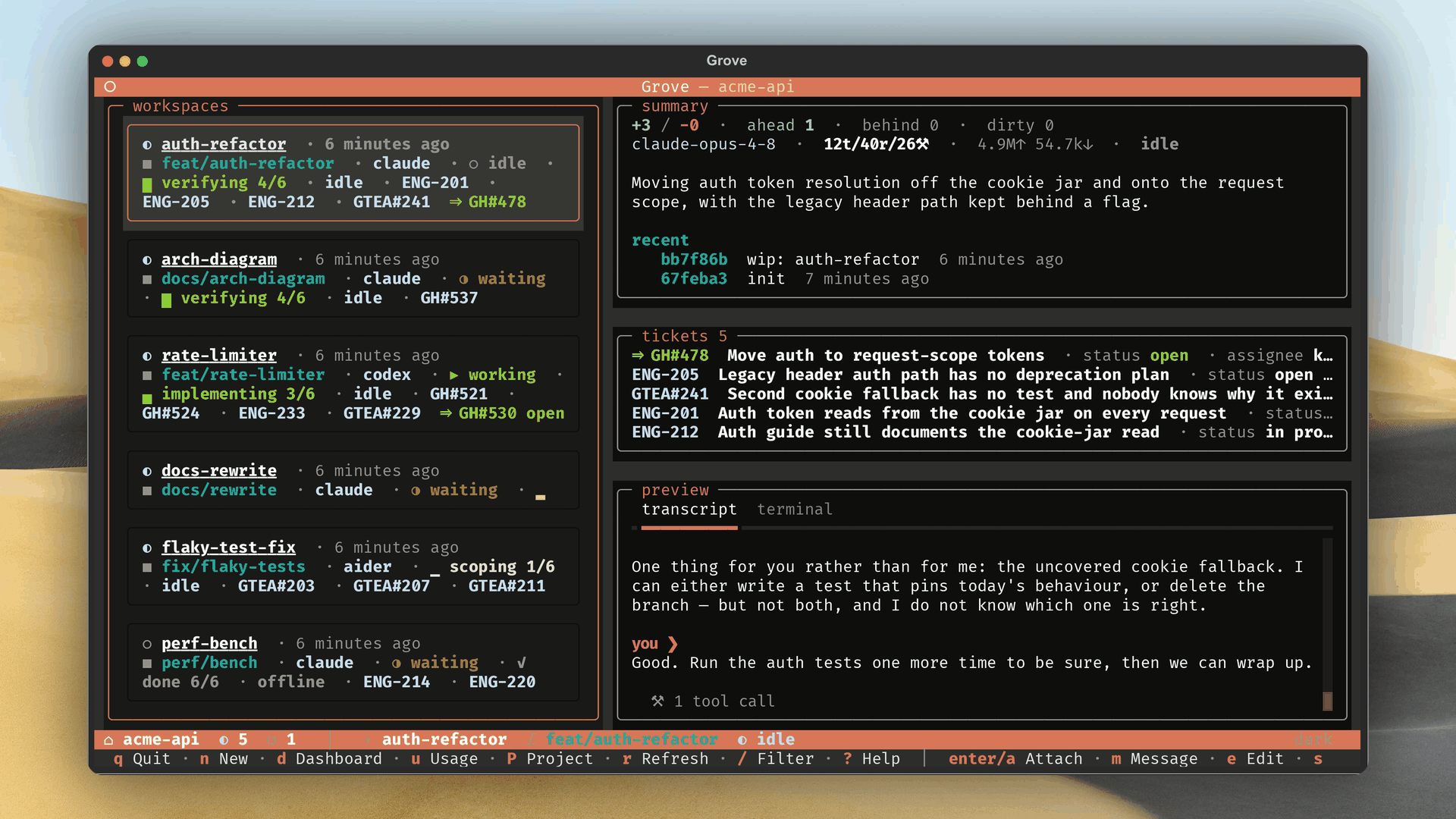
- Header. Repo name, count chip.
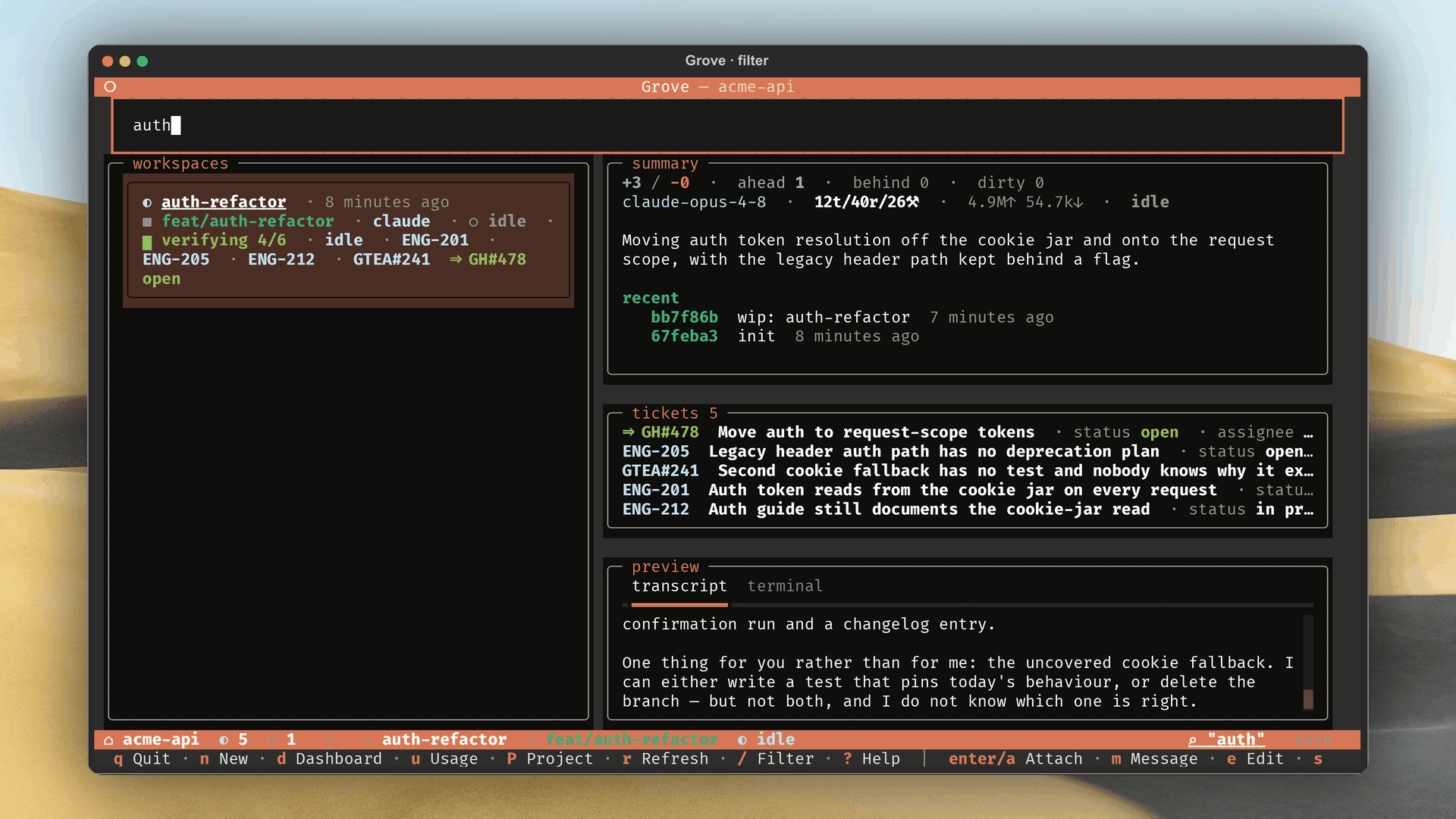
- Filter bar. Hidden until /, narrows title, branch, agent. Esc clears.
- Workspace list. Row: status glyph, title, agent, branch, stat strip,
state (
▶ working,◑ waiting), and task phase. - Peek rail. Summary, then linked tickets, then transcript and terminal tabs, with Stream for a native workspace (detail).
- Status bar. Fleet left, workspace right, coloured by state.
- Footer. Global and selection keys.
Keybindings
Global keys work anytime. Selection keys act on the highlighted row.
| Key | Action |
|---|---|
| N | Create a workspace. |
| D | Open the Activity Dashboard. |
| Shift+P | Switch project. |
| R | Refresh. |
| / | Filter. Type to narrow, Esc clears. |
| ? | Help modal, key reference. |
| Q | Quit. |
| Key | Action |
|---|---|
| Enter / A | Attach. |
| M | Steer without attaching. |
| E | Edit title and description. |
| S | Browse recorded sessions. |
| X | Remap to a live or recovered session, e.g. after /clear rotates the id (remap_session.py). |
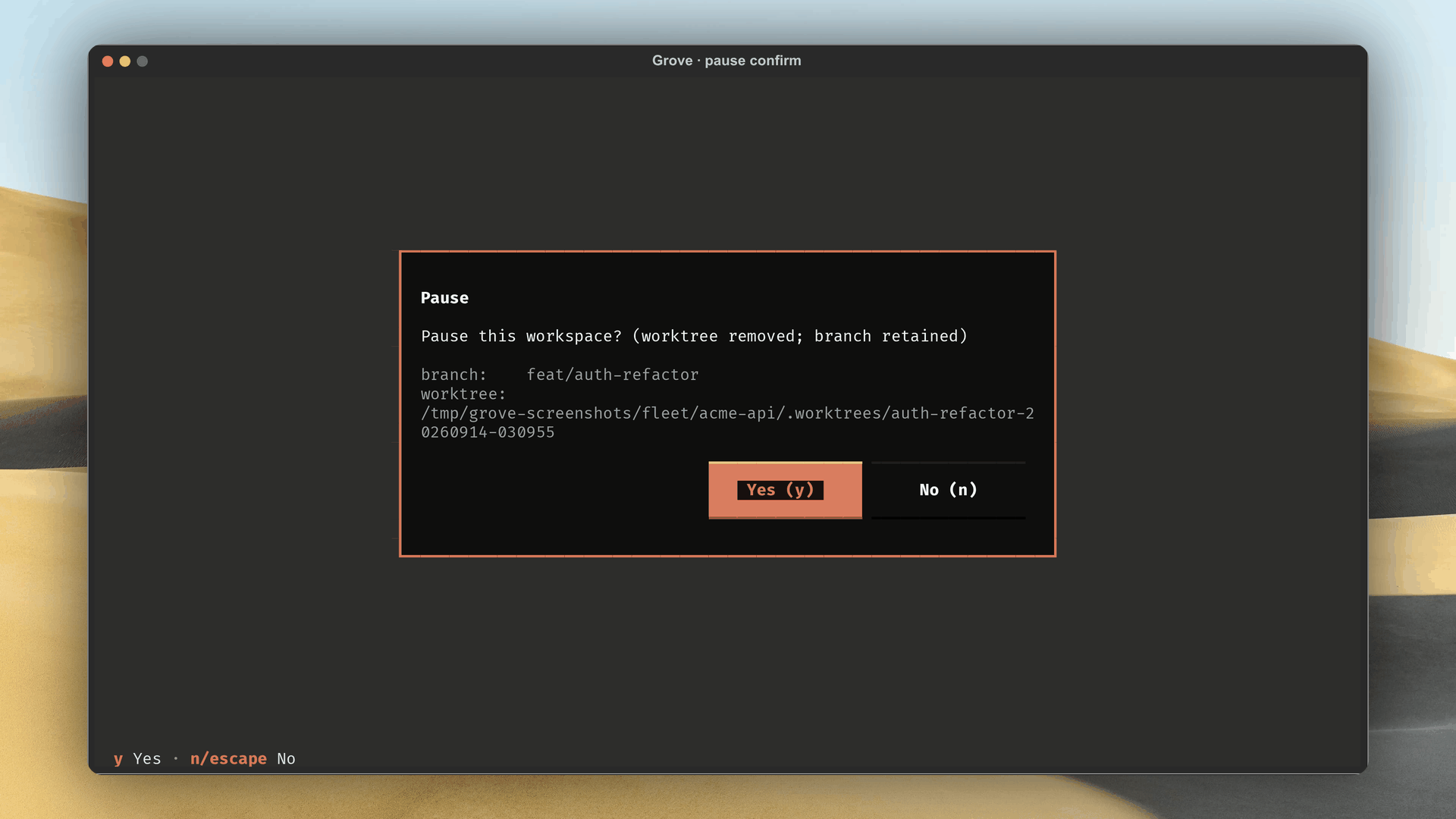
| P | Pause, removes worktree, keeps branch. |
| Shift+R | Resume, recreates worktree, restarts tmux. |
| O | Respawn an OFFLINE workspace. |
| K | Kill, removes worktree and tmux, deletes Grove-created branches. |
PAUSED dims attach and pause, OFFLINE lights respawn, ORPHANED leaves only kill (list.py).
Activity Dashboard
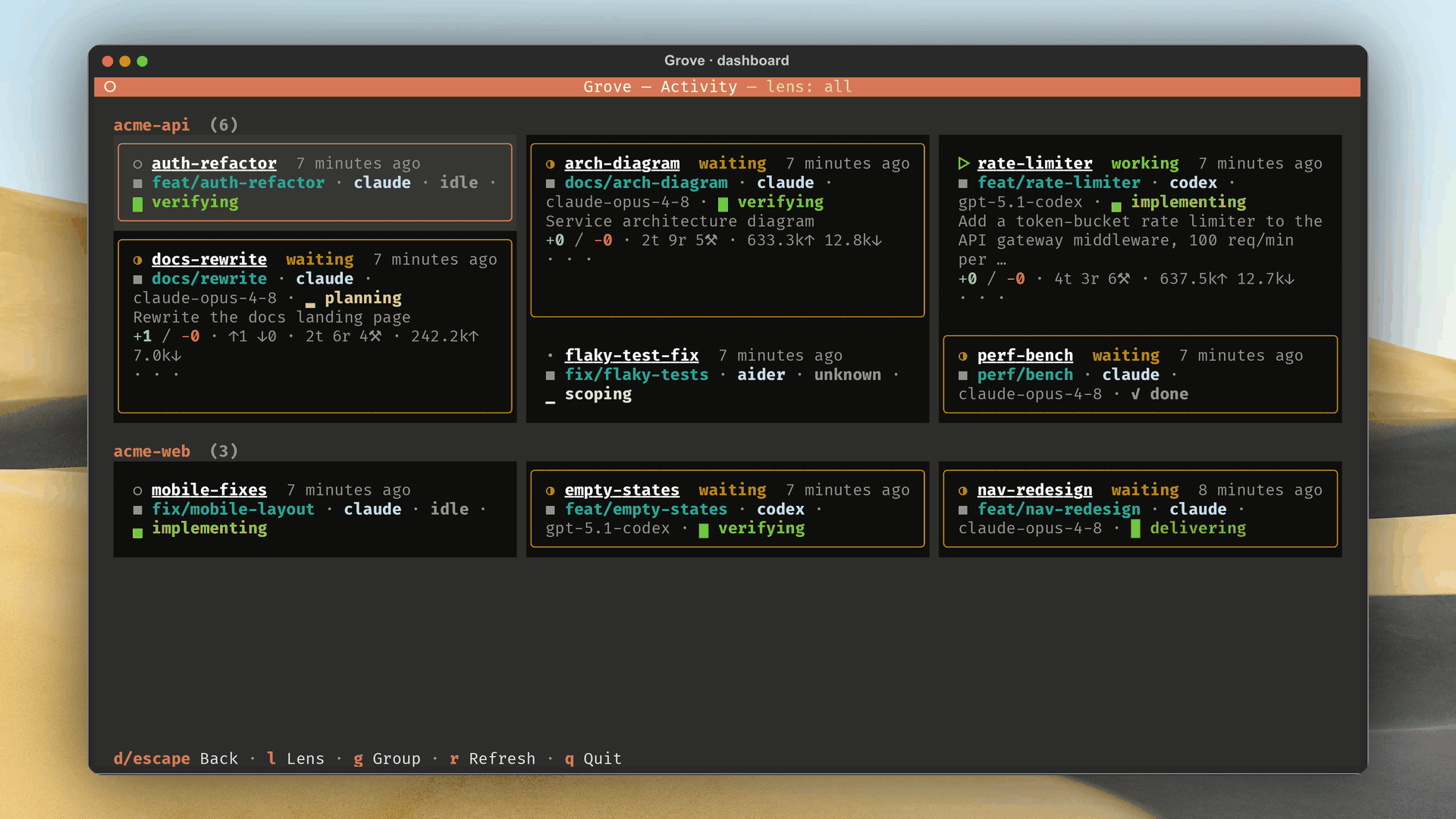
Press D: every workspace, one tile each, grouped by project.
- Tiles size by urgency: quiet is compact, working, waiting, blocked, or erroring gets a taller tile with a live terminal tail.
- Each tile: branch, agent, model, diff, ahead-behind, tokens, summary.
| Key | Action |
|---|---|
| L | Cycle lens: all, needs attention, active. |
| G | Toggle grouping: by project, or flat. |
| R | Refresh. |
| D / Esc / Q | Back to the list. |
Tile meaning: activity and sessions.
Project switcher
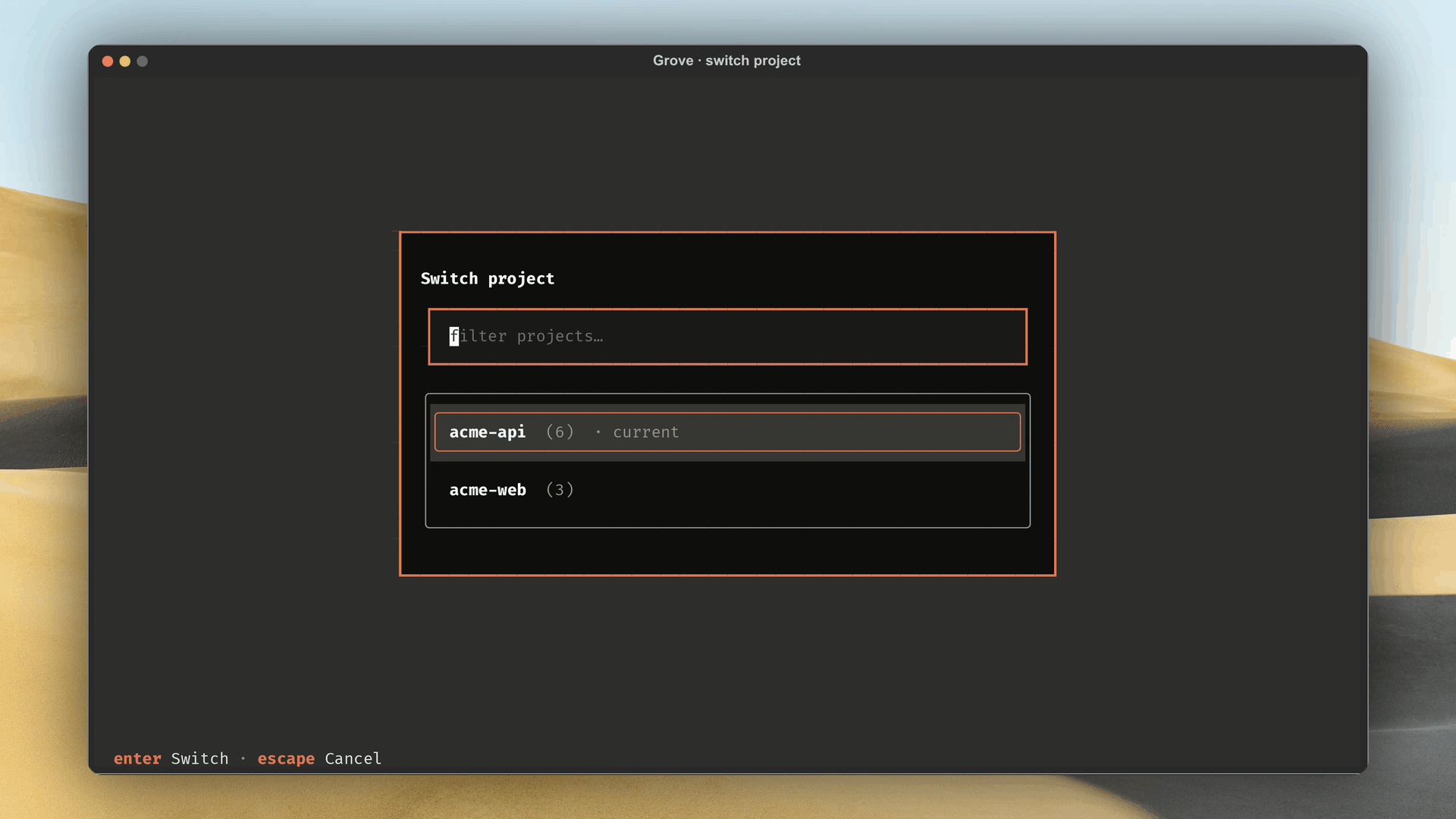
Press Shift+P to hop repositories.
- Lists every repository with its workspace count. Filter holds focus, Enter switches, Esc cancels.
- A cheap, instant chooser, not a dashboard. D for live status.
Steering an agent
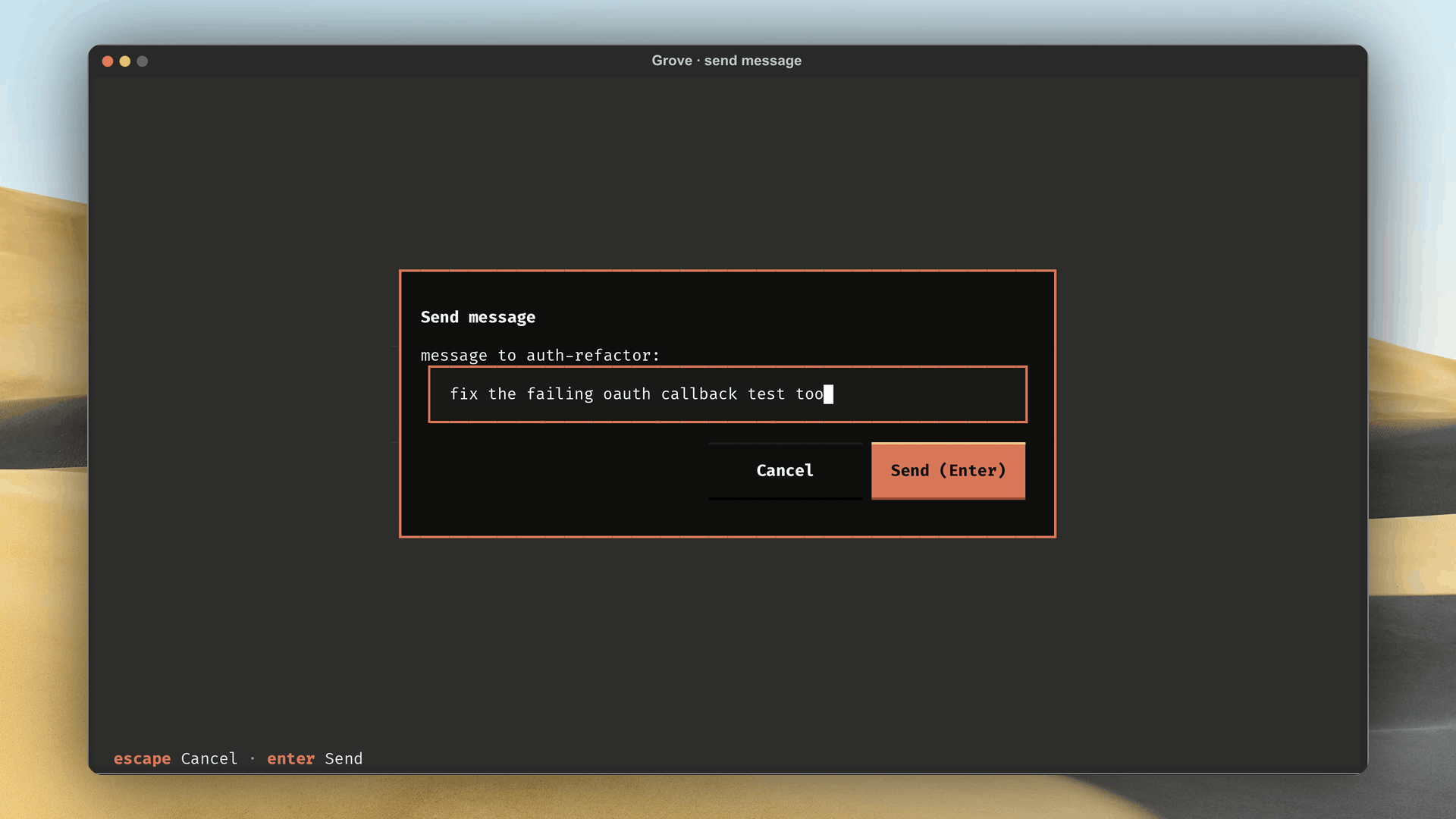
Press M, type a follow-up, Enter to steer.
- Delivery follows the agent: local gets it typed into tmux, remote over the remote API.
- M lights up only for a running agent, else Grove flashes why.
The sessions browser
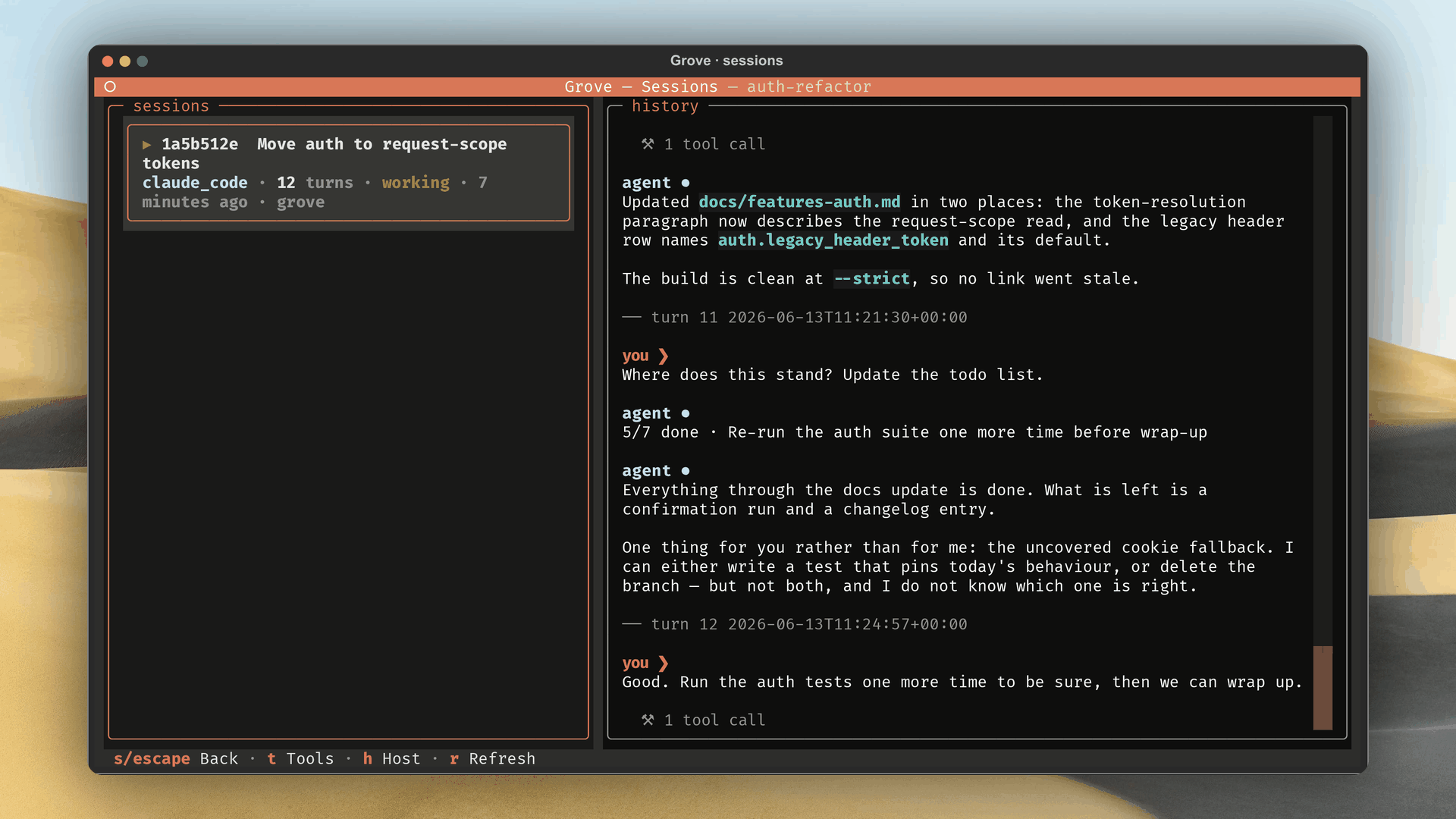
Press S to browse recorded sessions.
- Each row: state, turn count, model, who started the agent.
- Highlight a session: its turns fill the right pane, tool calls collapsed into groups.
| Key | Action |
|---|---|
| T | Toggle tool detail, collapsed or expanded. |
| R | Refresh the session list. |
| Esc / Q | Back to the list. |
Recorded history reads from disk, not live: transcripts outlive their worktrees.
Modals
Create
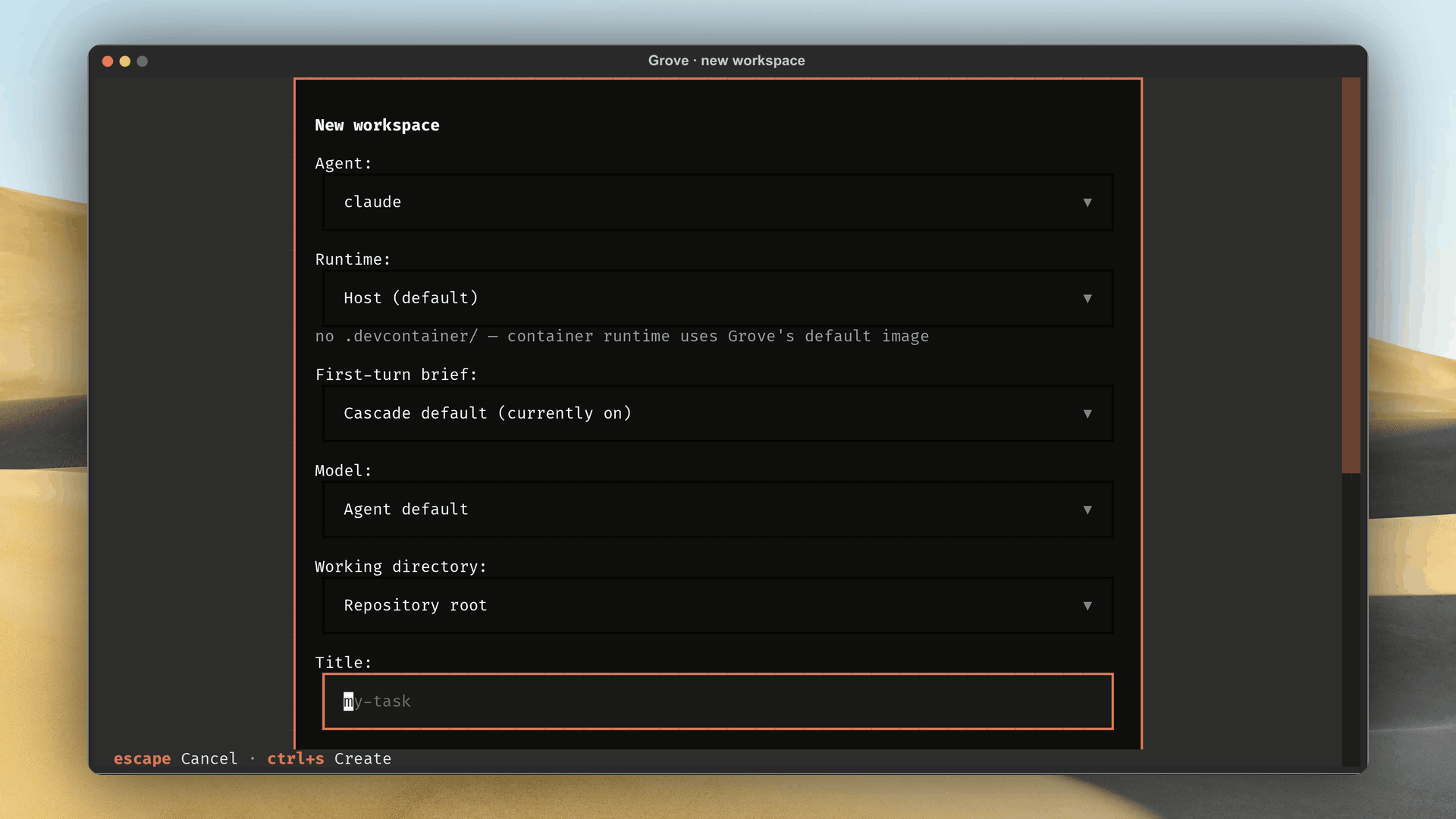
N opens a nine-step modal.
- Agent. Radio list of agents the cascade resolved.
- Native session. A checkbox for Claude Code, Codex and OpenCode. It starts at the entry's mode and chooses a Grove-owned native session instead of the terminal.
- Runtime. Host or Container (
container.enableddefault). - First-turn brief. Cascade default, On, or Off (
--briefon CLI). - Model (blank = default). Free text like
sonnet, unvalidated, forwarded verbatim (create.py). - Title. Free text, pre-fills from branch name.
- Branch source. Auto, New named, Existing local, Track remote, or Root: root workspaces, branch provenance.
- Skip init script. Skips the init script, default checked under Root.
- Confirm with Enter, Esc cancels.
Edit
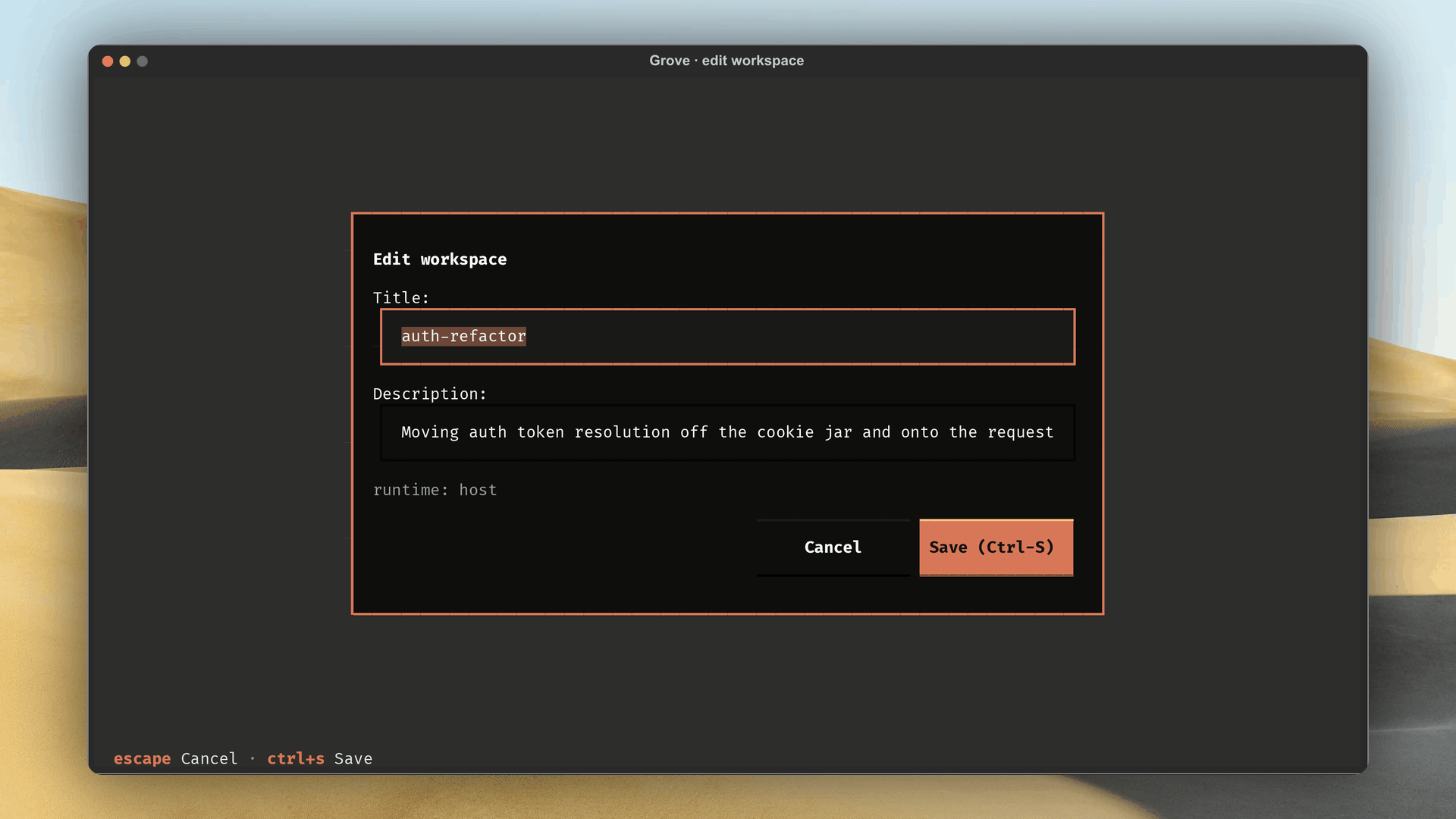
E edits title and description, metadata only.
Kill confirmation
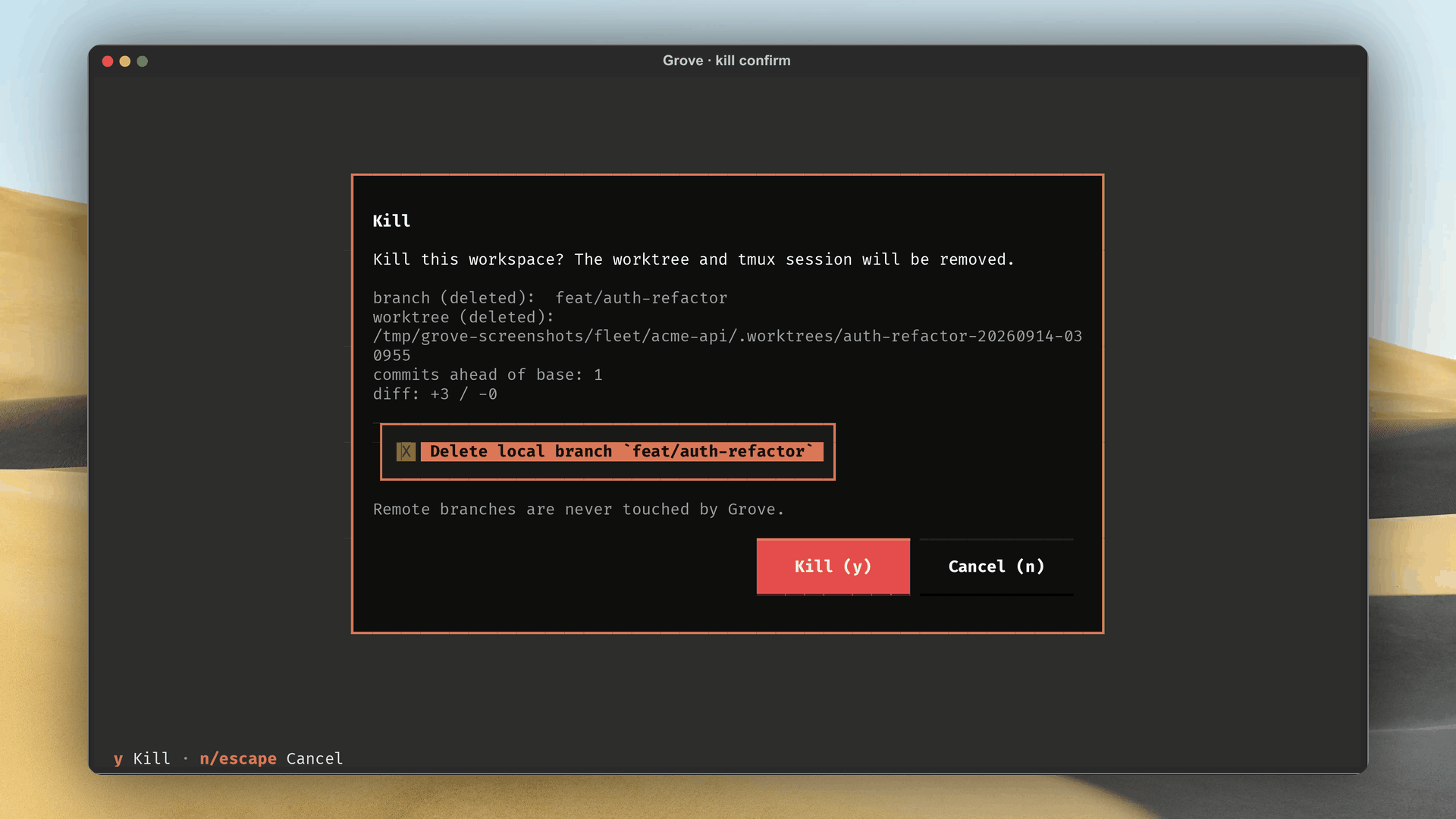
K opens a confirm modal with a branch_provenance deletion toggle:
GROVE_CREATED deletes, USER_ATTACHED keeps, either flippable. Remote
deletion needs git push --delete.
Pause confirmation
P opens a smaller confirm modal naming the retained branch.
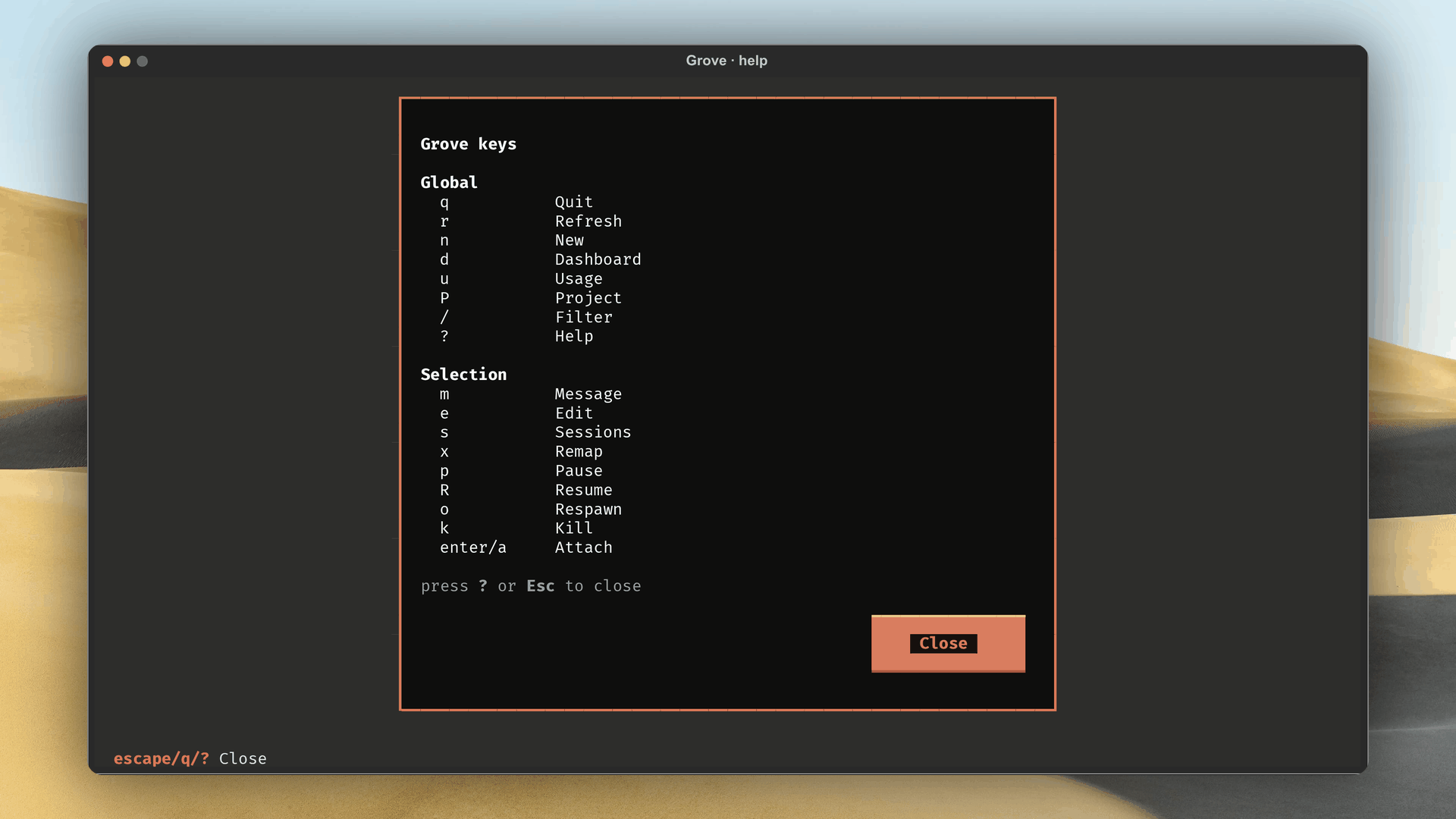
Help
? opens a read-only key reference. Any key dismisses.
Pairing
A new web dashboard pairing request pops a modal with a device label and code. Approve with A, deny with D. See authentication & pairing.
Every screen
One gallery rather than a screenshot under each heading. It walks the tour in page order, and the arrows loop.
DEFAULT_BINDINGS tuple the footer reads.Theme
Grove ships dark, light, and auto (follows the terminal's polarity).
Overrides land at ${user_config_dir}/grove/themes/<name>.toml, referenced
by ui.theme.
Mouse vs keyboard
Both work. Clicking selects a row, hover outlines it, every action has a keybinding.