
Show the agent what needs changing
Paste an image or attach a file and the agent is told where to find it.
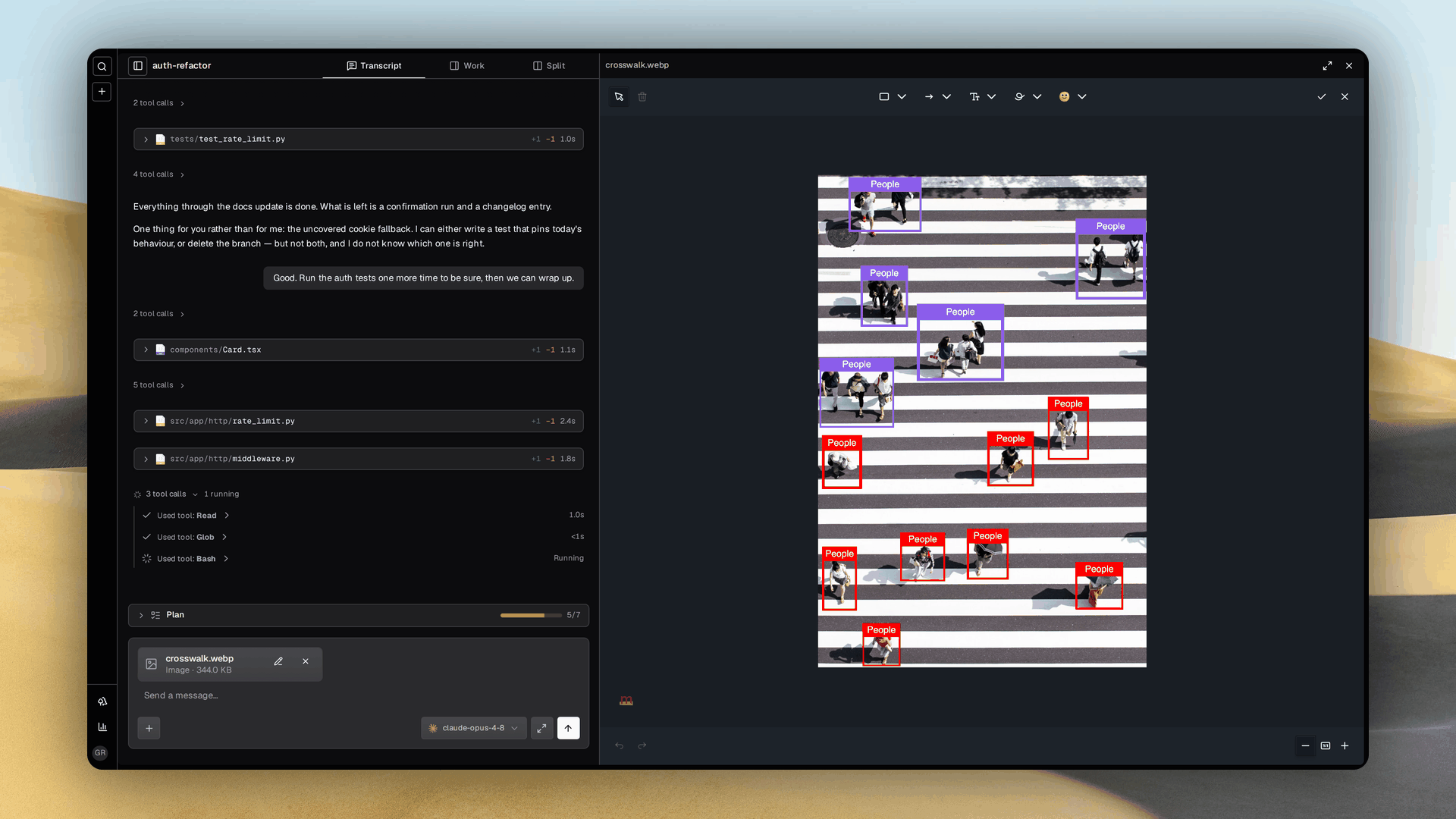
Hand the agent a file
- Both composers take files, the landing one that starts a workspace and the workspace one that steers it. Use the paperclip or paste from the clipboard, and plain text still pastes as text.
- Each staged file is one card with its name and size. Remove it before sending and nothing uploads.
- The picker offers images and text documents, up to 32 MB per file and 20 files per create.
- The agent receives a path, never bytes, and reads the file with its own tools.
Annotate before you send
- Press Annotate on a staged image card and an editor opens in a split pane beside the page. Draw arrows, boxes, highlights and text, then save.
- The staged file is replaced by the annotated copy while your draft and every other file survive. Reopen the card and your markers come back editable.
- Maximize the pane for detail work. Nothing persists past the visit.
- The saved image is a lossy WebP with its long edge capped at 2048 pixels, so a phone photo comes out smaller than it went in and a screenshot's text stays legible. A browser that cannot encode WebP saves a PNG under the right extension instead.
Where the file lands
- An attachment is written under the worktree at
.grove/attachments/<id>/<name>, the one directory a host process and a containerized agent both see. Git ignores it and nothing is committed. - The agent receives a fenced block appended to your message, one row per file with its path and byte count.
- A sent message renders its files above the bubble.
- Attachments live in the worktree, so
pauseremoves them with it, and an attachment whose worktree was paused away is skipped, not fatal.
See also
- Web dashboard: the two composers.
- Diagram collaboration: the mockup and specification loop, where the untracked attachments directory is where a draft is drawn.
- Containerized agents: why the worktree is the shared address.