
From install to first agent
Grove gives each agent an isolated workspace, one git worktree, one branch, one tmux session, by default in a container, scoped to the repository it launches from.
Prerequisites
| Platform | Requirement |
|---|---|
| Linux | git ≥ 2.30, tmux ≥ 3.0 |
| macOS | git (Xcode CLT), tmux (brew install tmux) |
| Windows | WSL2 with the above. Windows-native runs only the non-tmux subcommands (grove version, grove config show, grove debug). The TUI needs WSL. |
Install
Grove installs to your user bin (~/.local/bin) as grove, straight
from the repo. The [daemon] extra adds the web dashboard backend,
drop it for TUI-only.
The distribution is grove-crew, not grove
grove on PyPI is an unrelated log-collection framework. A bare
uv tool install grove (or pipx, pip) installs that instead,
failing with Failed to initialise configuration handler. Grove
publishes as grove-crew; the command it installs is still
grove. See Troubleshooting if this happened.
uv isolates Grove and links grove
onto your $PATH.
uv tool install "grove-crew[daemon] @ git+https://github.com/bearlike/Grove"
uv tool upgrade grove      # update on demand
uv tool uninstall grove    # remove
No uv yet? curl -LsSf https://astral.sh/uv/install.sh | sh.
No uv required:
Tab completion (optional)
One command teaches your shell to complete Grove, including live values: workspace ids, your configured agents, each agent's models, branches and sessions.
It writes one file where your shell already looks and never edits your rc file. See tab completion for what completes where, and what to do if nothing happens when you press Tab.
Configure it
Grove runs on defaults you can tune later, from two files that layer
together. The project config at <repo>/.grove/config.json
(scaffolded by grove config init) is committed and shared, pinning the
agent roster, worktree layout, and workspace init script. The user
config at ${user_config_dir}/grove/config.json (~/.config/grove/config.json
on Linux) holds your personal defaults across every repo. The project
layer wins on a shared option.
Let an agent configure it for you
Hand this prompt to Claude Code, Codex, or any coding agent to configure it with you.
Read https://raw.githubusercontent.com/bearlike/Grove/current/.claude/skills/configuring-grove/SKILL.md. It is the skill for configuring Grove, a terminal workspace manager for AI coding agents. Help me write my Grove user and project config, and verify every field against my installed version with `grove config schema --stdout`.
Or write it yourself
Project setup, Agents, and Init scripts cover each by hand. Every field is in the Configuration reference, and the Configuration cascade explains the six layers.
First run
cd path/to/your/git/repo
grove config init      # writes .grove/config.json with sensible defaults
grove                  # launch the TUI
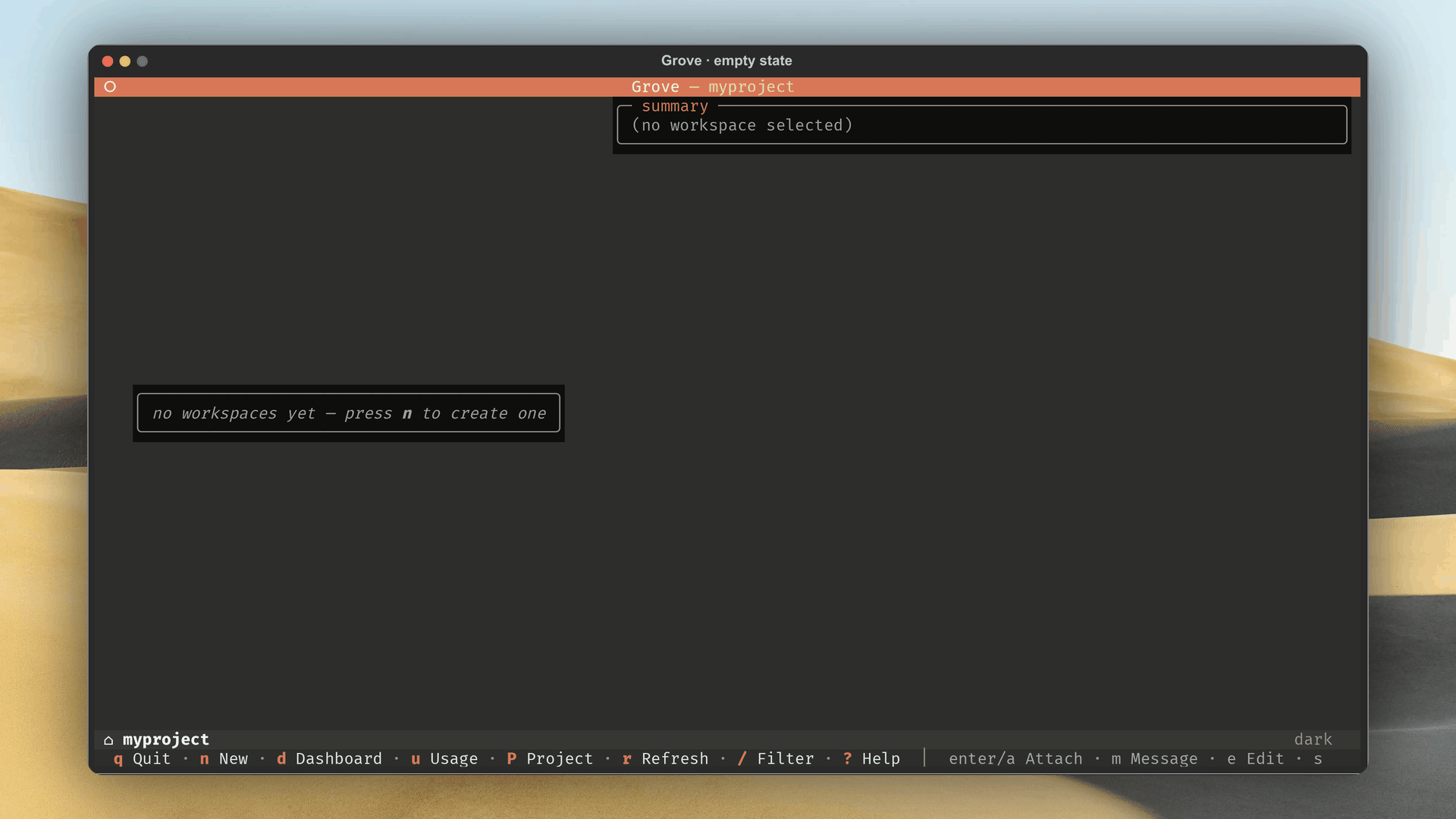
A fresh repo lands on the empty state, prompting a first workspace.
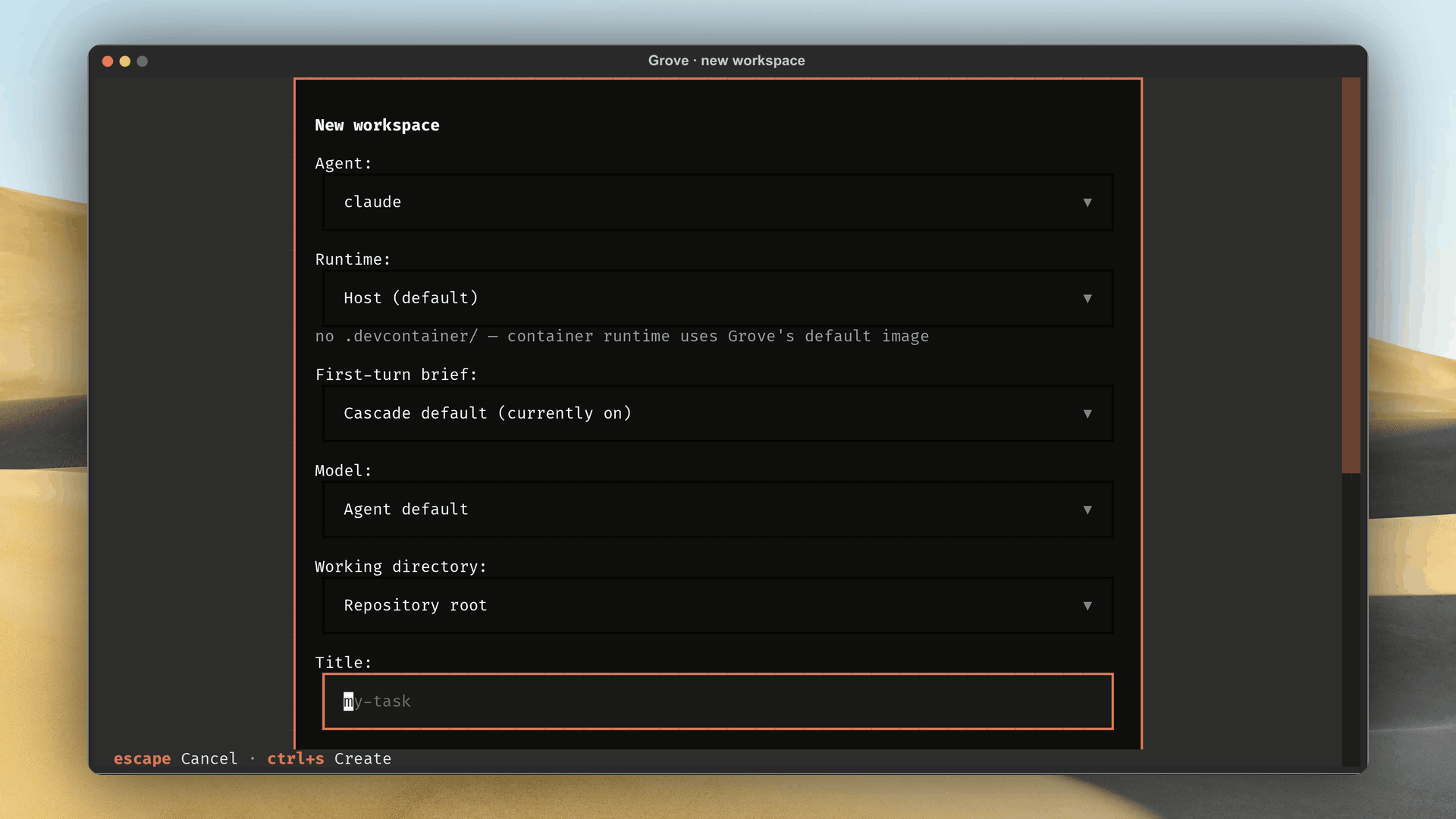
Press N, pick an agent, choose a branch source, and type a title.
Grove resolves the branch, creates the worktree, runs the init script if
configured, spawns a tmux session with agent and shell windows, and
sends in the agent's command.
Press Enter or A to attach. Press Ctrl+B then D to detach. The workspace keeps running, and the activity rail flips ACTIVE/IDLE on its own.
Verify
grove version          # prints the installed version
grove debug            # prints the resolved config + state paths
grove ls               # JSON list of this repo's workspaces
Set GROVE_DEBUG=1 for verbose loguru output on stderr, with one
initialized <path> line per directory created on first run.
Next steps
- TUI tour, every screen and keybinding.
- Project setup, the per-repo
.grove/config.json. - Custom agents, wiring Aider, Cursor, or any command.
- Daily workflow, create, attach, pause, resume, kill.
- Agent activity and sessions, the fleet on one wall, replayed.
- Web dashboard, the fleet in the browser or your phone.
- MCP server, for MCP agents (needs
grove-crew[mcp]orgrove-crew[all], notgrove-crew[daemon]).