
Pair a device with Grove
The web dashboard talks to a real HTTP daemon, so it needs to know who is calling. Grove borrows the model your headphones already use: a new device asks to connect, both sides show the same short code, and you approve it on the host. The daemon binds loopback, and pairing is how a device earns access.
The handshake
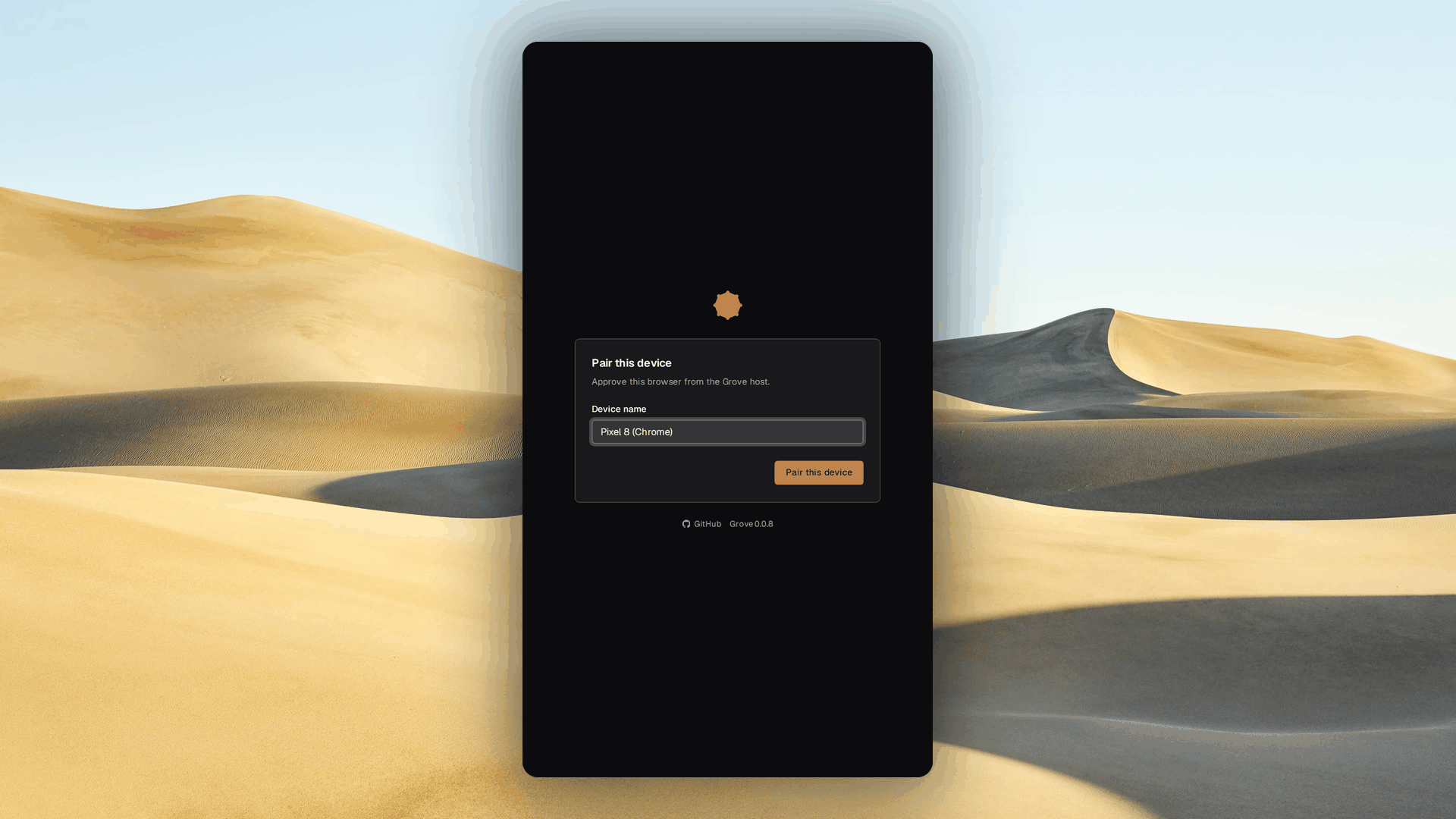
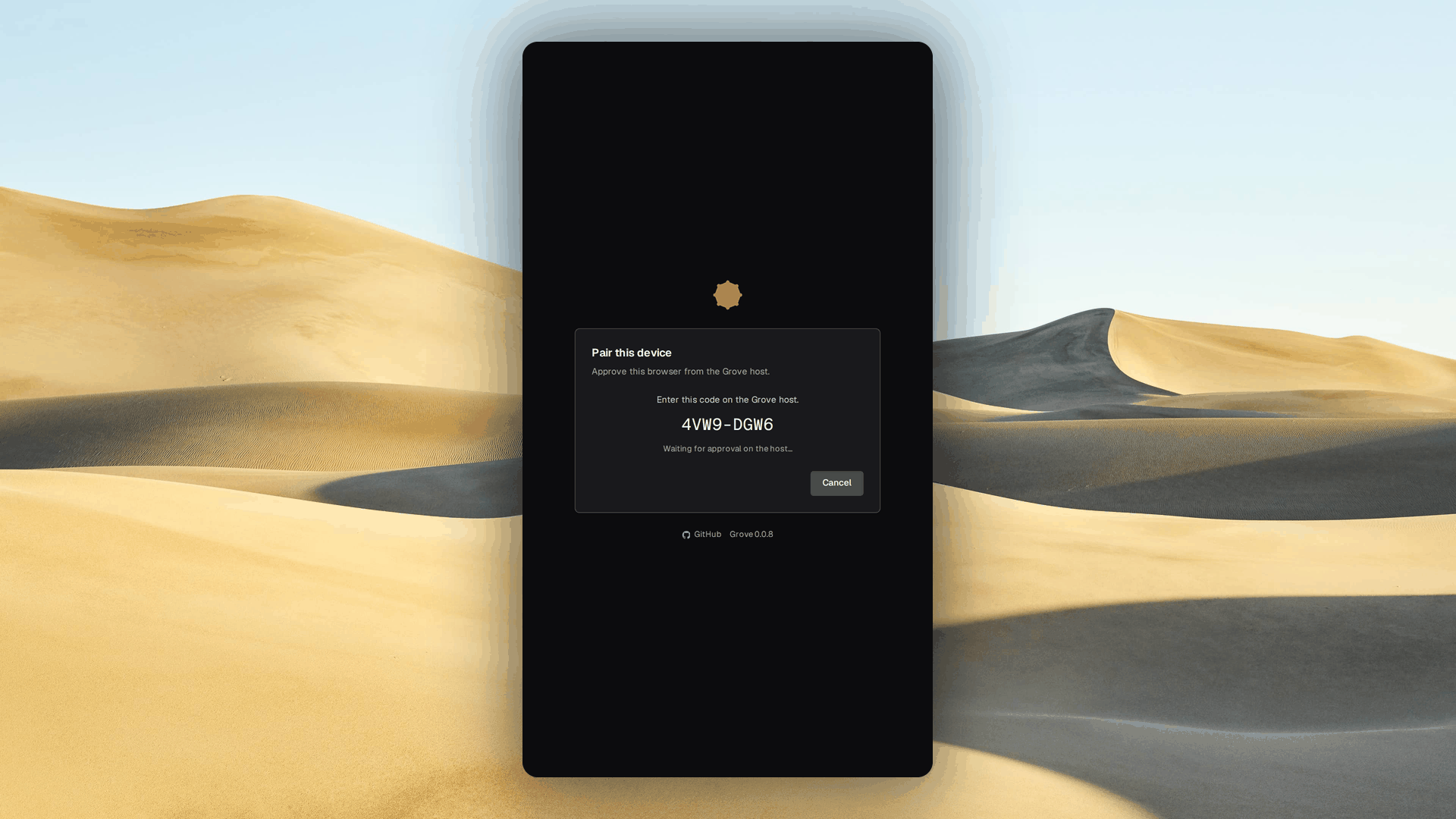
Pairing is a three-step handshake, out of band, and a browser's first visit lands on a pairing screen.
- Step one, on the device. Edit the suggested label, such as "Pixel 8", then request pairing. The daemon returns a code.
- Step two, on the device. The browser shows an eight-character code,
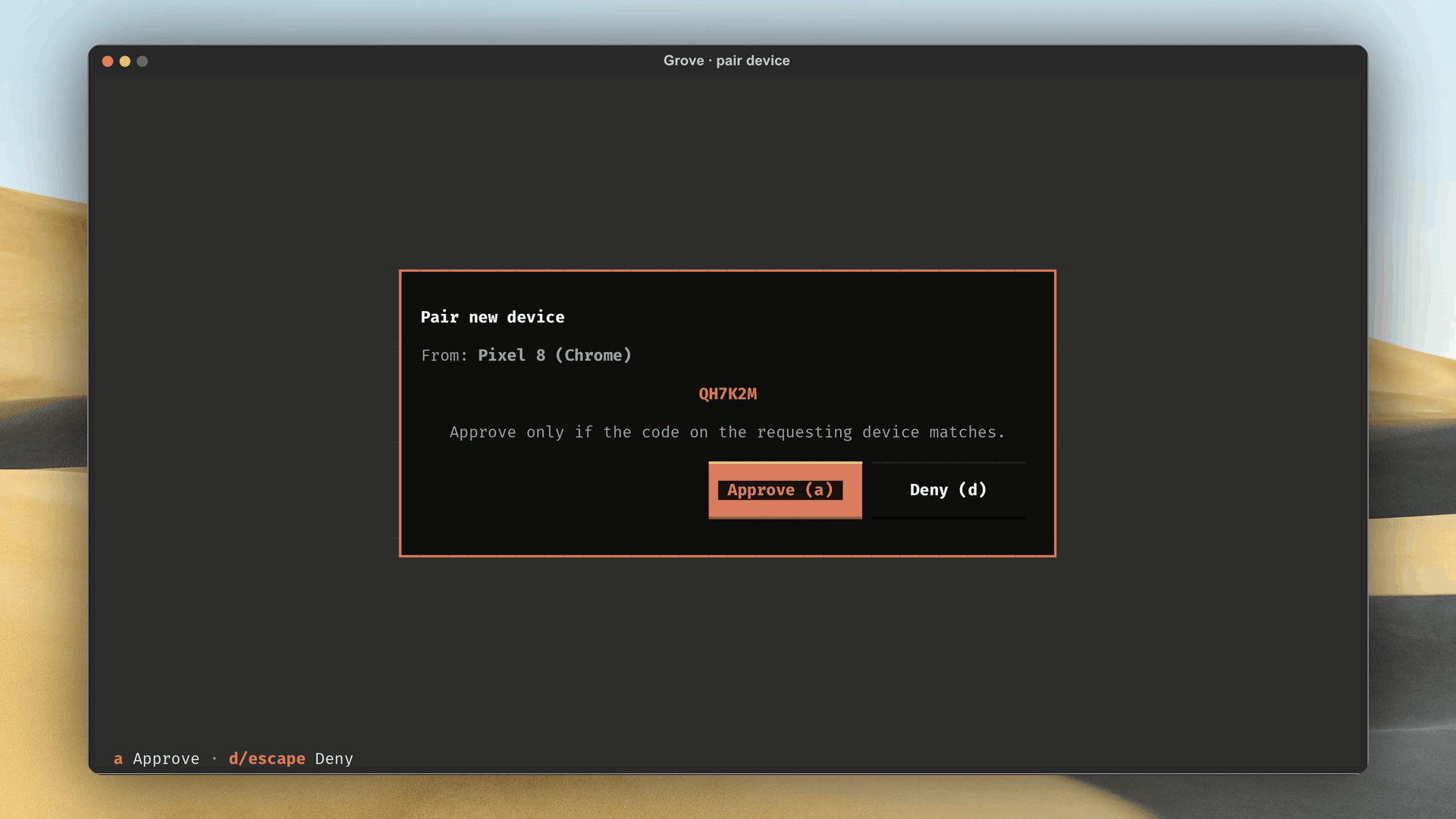
XXXX-XXXX, and polls. Compare it against the host before approving. - Step three, on the host. Confirm the matching code. Approval redirects the browser into the dashboard.
Approving on the host
Both ways to approve run on the host, since approval never travels over HTTP: the TUI's own modal, or the CLI on a headless host.
grove auth pending                 # list requests; each line shows the code
grove auth approve <challenge-id>  # approve the matching one
grove auth deny <challenge-id>     # reject it
Approve only when the codes match. That single check stops someone who merely reached the pairing screen. The code expires after five minutes, and the device starts over.
Managing sessions
A session lasts thirty days, renewing on every use, so a daily device pairs once.
grove auth sessions                # active sessions with labels and expiry
grove auth revoke <session-id>     # lock a device out until it pairs again
The full reference lives on the CLI page.
The security model
Grove's access control rests on keeping the daemon private and letting people in by hand.
- Loopback by default.
grove daemon servebinds127.0.0.1, no blessed--host 0.0.0.0. Reach it from elsewhere by forwarding a port over SSH. See reaching the dashboard from outside. - Only two open endpoints.
/healthzand the pairing handshake answer without a session. Every other endpoint needs a session token asAuthorization: Bearer. - Approval cannot cross the wire. The daemon exposes deny over HTTP, never approve, so only the host's TUI or CLI can grant a request.
- Secrets stay where they belong. Session tokens live only as SHA-256 hashes, in
${user_config_dir}/grove/auth.json, mode0600. The plaintext token reaches the device once, never touching disk. In the browser it never appears: the server holds it, giving anHttpOnlycookie.
See also
- Web dashboard: what the paired session unlocks.
- CLI: the
grove authcommand group.